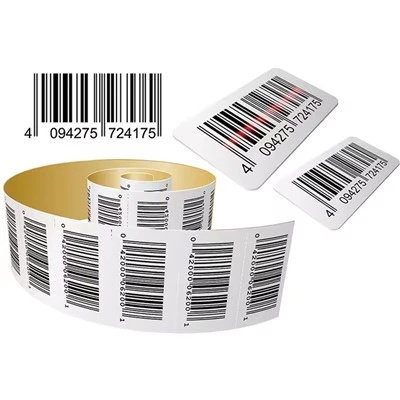
UPC Barcode Labels 101: What They Are and How They Work for Retail

If you have bought something from a store or received a package online, you have seen a UPC barcode label. These small black‑and‑white patterns help retail run smoothly.
UPC barcode labels are essential for tracking products, speeding up checkout, and preventing price mistakes. For business owners, knowing how to use UPC labels is key to selling through major retailers or online marketplaces.
This guide explains what UPC barcode labels are, how they work, and how you can get them for your business.
What Is a UPC Barcode Label?
Definition and Main Parts
UPC stands for Universal Product Code. A standard UPC label has two parts:
- Vertical black bars and white spaces that a scanner can read.
- A 12‑digit number printed below the bars (readable by humans).
The most common type is UPC‑A, which uses 12 digits. The first digit describes a product category, the next five identify the manufacturer, the following five identify the specific product, and the last digit is a "check digit" to catch scanning errors.
Where You See Them
In grocery stores, drugstores, and big‑box retailers, almost every package has a UPC barcode label. Cashiers scan them, and inventory systems update automatically. Online marketplaces like Amazon also require a UPC for most product listings.
How Do UPC Barcode Labels Work in Retail?
Scanning and Price Lookup
When a scanner reads a UPC barcode label, it converts the bars into a 12‑digit number. The store's computer then looks up that number in its database and instantly shows the product name and price. The system also reduces the inventory count by one.
All of this happens in less than a second.
Inventory Management
Each scan tells the store exactly which product left the shelf. Many retailers use this data to automatically reorder products when stock runs low. This prevents empty shelves and reduces manual counting.
Accurate Pricing
Before barcodes, workers typed in prices by hand, which often led to errors. UPC barcode labels almost eliminate those mistakes. Customers are charged correctly every time, which builds trust.
Why Retailers Require UPC Barcode Labels
Big‑Store Compatibility
Large retailers require a valid UPC barcode label on every product. Their checkout and inventory systems depend on barcodes.
Online Marketplace Rules
Amazon and other major platforms ask for a GS1‑certified UPC when you list a new product. A UPC ensures your product is uniquely identified among millions of others.
Supply Chain Efficiency
Although UPC is a North American standard, it is accepted worldwide. Warehouses and shipping companies use barcode scanning to track shipments and reduce mistakes.
How to Get and Print UPC Barcode Labels
Step 1 – Get a GS1 Company Prefix
To legally use UPCs, you must buy a GS1 Company Prefix. GS1 is the official organization that manages barcode standards. You pay an annual fee (about $250–$500 per year for a small range of products). GS1 then gives you a unique manufacturer number.
Avoid cheap "lifetime" UPCs from third‑party resellers. Big retailers and Amazon often reject them.
Step 2 – Assign Product Numbers
After you have your prefix, give each of your products a unique number. For example, if your prefix is 123456, you might assign 78901 to a vanilla candle. The full UPC becomes 12345678901 plus a check digit.
Step 3 – Generate the Barcode Image
Use free or paid software to turn your 12‑digit number into a scannable barcode image. Follow GS1 rules for bar width, height, and quiet zones (the blank space around the barcode).
Step 4 – Print Your Labels
You have two main options:
- Use a thermal label printer. These produce sharp, durable barcodes without ink.
- Order pre‑printed labels from a professional label company. This works well for large quantities.
For most retail products, the barcode is printed directly on the packaging. But small businesses can use adhesive UPC labels on poly bags or boxes.
Common Mistakes to Avoid
Using the same UPC for different products. Each unique item (different size, color, flavor) needs its own UPC.
Poor print quality. Blurry or low‑contrast barcodes will not scan. Follow size guidelines.
Covering the quiet zone. Leave blank space on both sides of the barcode; otherwise, scanners may fail.
Frequently Asked Questions (FAQ)
1. Do I need a UPC if I only sell on my own website?
Not strictly, but it is recommended. UPCs make it easier to integrate with shipping and inventory software. They also prepare you for selling on Amazon or to stores later.
2. Can I create my own UPC barcode label for free?
You can generate the barcode image for free, but the 12‑digit number must come from a GS1 prefix. Inventing a number will not work in professional retail systems.
3. What is the difference between UPC and EAN?
UPC has 12 digits (US/Canada). EAN has 13 digits (rest of the world). Most modern scanners read both.
4. How much does a UPC cost?
The cost is an annual fee for the GS1 prefix, not per label. For up to 10 products, about $250–$300 per year.
5. Can I print UPC labels with a regular inkjet or laser printer?
Yes, but quality may be poor. Ink can smudge, and toner may flake. For best results, use a thermal transfer printer or order professional labels.