Digital Printing Labels vs Flexographic Printing Labels: Which Is Better?
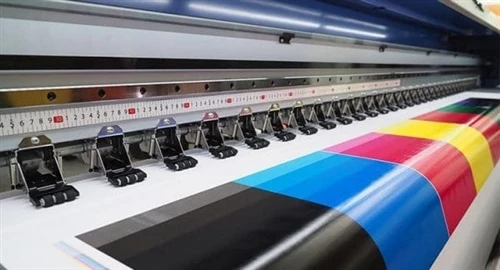
When you start looking for a label printer, you will quickly encounter two terms: digital printing and flexographic printing. Both produce high-quality labels. Both are used by businesses of all sizes. But they work very differently-and the right choice for your project depends on factors you might not have considered yet.
This guide breaks down digital printing labels vs flexographic printing labels in plain English. By the end, you will know exactly which method fits your volume, your budget, and your timeline.
What Is Digital Label Printing?
Digital label printing works much like the inkjet printer on your desk-but on an industrial scale. Instead of using physical plates, a digital label press reads your artwork file and prints the image directly onto the label material.
There are no plates to make, no cylinders to mount, and no lengthy setup procedures. You send a file, and the press prints it. This makes digital printing incredibly fast to start and highly flexible.
Key Advantages of Digital Printing
No plate costs. Digital printing does not require expensive printing plates, which means there is no upfront investment before the first label is printed. Every color does not need its own plate, and there is no minimum quantity to justify tooling costs.
Fast turnaround. Because there is no setup delay, digital printing can go from artwork to finished labels in hours or days, not weeks. This makes it ideal for urgent launches, last-minute design changes, or regulatory updates.
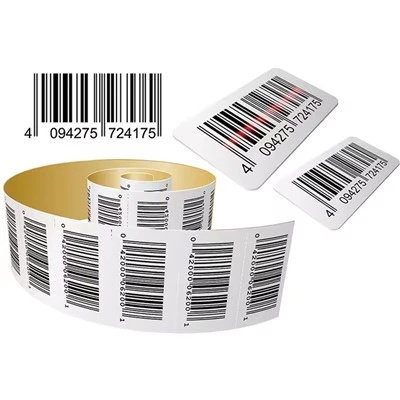
Variable data. Digital printing can change every single label in a run. Serial numbers, barcodes, QR codes, names, and personalized messages can all vary from label to label without slowing down the press. This is essential for products with many SKUs, promotional campaigns, or traceability requirements.
Low waste. Digital printing produces minimal setup waste-typically 1–3% of a run, compared to 3–8% for flexo during dial-in. Less material is wasted, which also means lower environmental impact.
Short-run economics. Digital printing is cost-effective for small to medium runs because there is no plate cost to amortize. You can order as few as 50 or 100 labels without paying a premium.
Limitations of Digital Printing
Slower speeds. Most digital presses top out at 100 to 150 feet per minute. That is fine for short runs but becomes a bottleneck for high-volume production.
Higher per-unit cost at scale. While digital has no setup cost, its per-label ink and consumable costs remain relatively constant. At very high volumes, flexo's per-unit cost drops significantly lower.
Limited substrate range. Digital presses often prefer coated, smooth surfaces and can struggle with rough or porous materials.
Fewer specialty finishes. While digital can apply laminates and varnishes, it does not offer the full range of inline finishing that flexo provides-such as foil stamping, embossing, tactile coatings, and screen printing.
What Is Flexographic Label Printing?
Flexographic printing-often called "flexo"-is a traditional, high-speed printing method that uses physical printing plates. Each color in your design requires its own flexible rubber or polymer plate, which is mounted on a roller. As the label material runs through the press at high speed, ink transfers from the plate to the substrate.
Flexo is the workhorse of the label industry. It produces the vast majority of the world's labels and remains the dominant production technology globally.
Key Advantages of Flexographic Printing
High-volume economics. Once the plates are made and the press is set up, flexo runs at extremely high speeds-typically 200–300 feet per minute or more. The per-unit cost drops dramatically at scale.
Superior specialty finishes. Flexo presses have multiple stations that can apply cold foil, screen printing, tactile varnishes, embossing, debossing, and laminating-all in a single pass. This makes flexo the go-to choice for premium, high-impact labels.
Wide substrate range. Flexo can print on virtually any material-paper, film, foil, cardboard, and textured surfaces. It handles rough and porous substrates that digital presses cannot.
Precise spot colors. For brand-specific Pantone colors, flexo delivers unmatched accuracy with a single ink station. Digital must simulate spot colors using CMYK, which is not always an exact match.
Consistent color at scale. Once dialed in, flexo produces ultra-consistent color across millions of impressions.
Limitations of Flexographic Printing
High setup costs. A full set of flexo plates for a six-color label job can cost anywhere from $800 to $3,000. Every color needs its own plate, and every SKU requires its own set. Setup also takes time-some jobs can take days to set up properly.
Longer lead times. Because plates must be manufactured and installed, flexo lead times are typically longer than digital.
Inflexible for changes. Changing a design means making new plates. This makes flexo inefficient for frequent updates, seasonal variations, or market testing.
Setup waste. During the setup and registration process, flexo can waste 15% or more of material. This waste is acceptable for long runs but painful for short ones.
Head-to-Head Comparison
Cost Structure
Flexo and digital have fundamentally different cost structures. Flexo loads cost into setup-plates, dies, and makeready are paid before the first sellable label comes off the press. Digital spreads cost evenly across every unit with almost no setup penalty.
This means digital is cheaper for short runs, while flexo wins for long runs. The break-even point-where the two cost curves cross-typically falls somewhere between 3,000 and 25,000 labels per SKU, depending on plate costs, ink coverage, and complexity.
Speed
Digital printing starts fast-artwork to labels in hours. But once running, digital is slower, typically 20–70 meters per minute. Flexo takes longer to set up-10–20 minutes per station-but once running, it reaches 100–200 meters per minute or more.
Flexibility
Digital wins on flexibility. You can change artwork between labels, print variable data, and switch SKUs in seconds. Flexo requires new plates for every design change.
Finishes and Effects
Flexo wins on finishes. It offers the full toolkit-foils, tactile coatings, embossing, debossing, screen printing, and heavy white ink. Digital offers laminates and varnishes but cannot match flexo's range of inline specialty effects.
Substrate Compatibility
Flexo prints on almost any substrate. Digital is more selective, preferring coated, smooth surfaces.
The Rise of Hybrid Printing
Increasingly, brands do not have to choose. Hybrid printing combines digital print heads with flexo finishing stations on a single press. This gives you digital's short-run flexibility and variable data capabilities, plus flexo's specialty coatings, foils, and high-speed finishing.
Hybrid is ideal for mid-length runs that need both customization and premium finishes. It represents the clearest direction for the label industry.
Frequently Asked Questions
Q1: Digital vs flexo label printing - which is cheaper?
Depends on volume. Digital: no setup cost for short runs (≤5,000‑25,000 labels). Flexo: high setup but low unit cost for large orders.
Q2: Can digital match flexo color quality?
Digital covers 97% Pantone colors with good photos/gradients. Flexo delivers accurate brand spot colors; digital simulates them with CMYK.
Q3: Best for variable data like serial numbers?
Digital. It prints unique labels at full speed. Flexo fixed plates cannot handle variable data.
Q4: Does digital support foil stamping?
Digital only does laminates & varnishes. Choose flexo for foil, embossing, tactile coatings, screen‑print effects.
Q5: How to select the right printing method?
Small quantity / frequent design changes → Digital
Large runs / special finishes (foil, embossing) → Flexo
Need both custom data & premium finishes → Hybrid printing