Does Your Label Need a Redesign? Three Signs That Tell You It's Time for a Refresh

Your label is often the first thing a customer sees. It identifies your product, shares important information, and helps you stand out on the shelf. But brands change. Products change. Rules change. A label that worked three years ago may now be holding you back.
The good news: you do not always need a full rebrand. Sometimes a focused label redesign is enough. Here are three signs your label needs a redesign.
Why a Label Redesign Is a Business Decision, Not Just a Design Choice
A label refresh is not only about looking better. It affects shelf visibility, legal compliance, customer trust, and printing costs. A smart redesign can improve sales and reduce waste. A careless one can confuse loyal customers and lead to expensive reprints.
So the real question is not "Do I like my label?" It is "Is my label still doing its job?"
Sign #1: Your Label No Longer Matches Your Brand
Your logo, colors, or voice have changed
If you have updated your logo, changed your brand colors, or shifted your tone, your label may look outdated. Customers notice inconsistency. It can make your product feel like it belongs to a different company.
Your labels look different across products
A mixed shelf presence weakens recognition. If every product has a different layout, font, or color scheme, shoppers cannot spot your brand quickly. A custom label redesign can bring everything into one clear system.
What to do
Audit all your labels. List the core brand elements: logo, colors, fonts, and tagline. Decide what must stay and what can change. Then apply the same rules to every label.
Sign #2: Your Label Is Hard to Read or Scan
Small fonts and poor contrast
Can a shopper read your label from three feet away? If not, it is too hard to read. Small fonts, low contrast, and busy backgrounds make labels fail at the shelf. Older customers and people with low vision will struggle most.
Barcodes, QR codes, and legal text
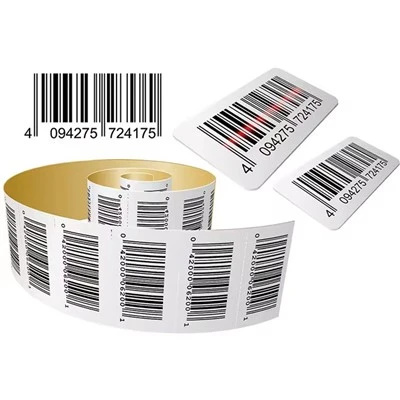
Scanners need clean, high-contrast barcodes. QR codes need enough empty space around them. Legal text must meet local rules for font size and placement. If your label fails scanning or compliance checks, a label refresh is not optional.
What to do
Print a test label at real size. Check it in normal store lighting. Scan every code. Ask someone unfamiliar with the product to read it. If they hesitate, simplify the design.
Sign #3: Your Label No Longer Fits Your Product or Market
Your product changed
New ingredients, new sizes, new materials, or new usage instructions may make the old label wrong. A label that lists the wrong weight or missing warning is a legal risk.
Your market changed
Maybe you now sell online, in new countries, or to a different age group. Each channel has different needs. E-commerce labels need to survive shipping. International labels may need multiple languages. A label redesign can solve these problems at once.
What to do
Map where your product is sold and who buys it. List every requirement by channel. Then redesign with those needs in mind, not just aesthetics.
How to Redesign Your Label Without Wasting Money
Test before full rollout
Print a small batch first. Put it on the product. Check it in real conditions: cold, heat, moisture, and handling. A short test run is cheaper than a full reprint.
Keep what already works
You do not have to change everything. If customers recognize your color or shape, keep it. Change only what is weak. This protects brand recognition and reduces redesign costs.
Work with your printer early
Your printer can tell you what is easy to produce and what adds cost. For example, a custom die-cut may require new tooling. A small size change may avoid that. Early input prevents expensive surprises.
Check compliance before the design is final
Legal text, nutrition panels, warnings, and barcodes have rules. Confirm them before you approve the artwork. This is one of the most common reasons labels need a second printing.
When a Label Redesign Is Not Worth It
Not every label needs a refresh. If your label is clear, compliant, and still matches your brand, a redesign may only create confusion and cost. A redesign makes sense when it solves a real problem: poor readability, weak shelf impact, legal risk, or brand mismatch. If none of these apply, wait.
FAQ
Q1: How often should I redesign my labels?
A: There is no fixed schedule. Review your labels every 1–2 years or whenever your brand, product, or market changes. A small check is better than a sudden emergency.
Q2: Will a label redesign hurt brand recognition?
A: It can if you change too much at once. Keep the elements customers already know, such as color, shape, or logo. Change only what is not working.
Q3: How much does a label redesign cost?
A: Costs vary by design work, label size, material, printing method, and quantity. A simple refresh may only need new artwork. A full redesign with new die-cuts and materials costs more. Ask your printer for a detailed quote.
Q4: Can I change my label design without changing the label size?
A: Yes. Many refreshes keep the same size and shape. This can avoid new die costs and make the switch easier. You can update colors, fonts, and layout while keeping the physical label.
Q5: What should I check before printing a redesigned label?
A: Check readability, barcode scanning, legal text, color accuracy, material performance, and adhesive fit. Always approve a physical proof before a full run.
Q6: Do I need a new die-cut for a label redesign?
A: Only if you change the label shape or size. If the outline stays the same, you can usually keep the existing die. Ask your printer to confirm.