Hey there! If you're like me, you might've found yourself in a situation where you needed paper labels right at home. Maybe it's for organizing your pantry, labeling your homemade crafts, or even for some small business projects. Well, I'm here to share my tips on how to print paper labels at home, and as a paper labels supplier, I've got some insider knowledge to make this process a breeze.
1. Gather Your Materials
First things first, you need to get all the stuff you'll need. You'll obviously need a printer. Most regular home printers, whether they're inkjet or laser, can do the job. Just make sure it's in good working condition and has enough ink or toner.
Next up are the label sheets. You can find these at your local office supply store or order them online. There are different types of label sheets, like glossy, matte, and even waterproof ones. Choose the one that suits your needs. For example, if you're labeling items that might get wet, go for the waterproof option.
You'll also need a computer with some label design software. There are many free options out there, like Canva or Avery Design & Print Online. These programs are super easy to use, even if you're not a design pro.
2. Design Your Labels
Once you've got your materials, it's time to design your labels. Open up your chosen design software and start creating. You can add text, images, logos, and even shapes. Keep it simple and easy to read. If you're labeling products for sale, make sure all the important information, like the product name, ingredients, and instructions, are clearly visible.


You can also play around with different fonts and colors to make your labels stand out. Just don't go overboard and make it too busy. Remember, the goal is to convey information clearly.
If you're not sure where to start, you can look for inspiration online. There are tons of label design ideas on Pinterest and other design websites. You can also check out some of the templates available in your design software.
3. Print a Test Sheet
Before you start printing a whole bunch of labels, it's a good idea to print a test sheet. This will help you make sure everything looks right and that the labels are aligned correctly. Print a single label or a few on a regular piece of paper. Check the text, images, and alignment. If something looks off, go back to your design software and make the necessary adjustments.
You might also want to check the color accuracy. Sometimes, the colors on your screen might not look exactly the same when printed. If you're using a specific color for your brand, make sure it looks consistent on the printed labels.
4. Load the Label Sheets
Once you're happy with your test sheet, it's time to load the label sheets into your printer. Make sure you follow the printer's instructions for loading the paper. Different printers have different ways of loading paper, so it's important to get it right.
Most label sheets have a backing paper, which is the part that goes into the printer first. Make sure the label side is facing the right way. You can usually tell by looking at the markings on the label sheet.
5. Print Your Labels
Now it's time to hit that print button! But before you do, double-check your printer settings. Make sure you've selected the right paper type (usually "labels" or "glossy paper") and the correct print quality. You might want to choose a higher print quality for a more professional look.
Once you've printed your labels, let them dry for a few minutes. This will help prevent smudging and ensure that the ink or toner sets properly.
6. Cut and Apply Your Labels
After your labels have dried, it's time to cut them out. You can use a pair of scissors or a paper cutter for this. Make sure you cut them as straight as possible. If you're using a label sheet with pre-cut labels, you can just peel them off.
Now it's time to apply your labels. Make sure the surface you're applying them to is clean and dry. This will help the labels stick better. You can use a squeegee or a credit card to smooth out any air bubbles and make sure the labels are firmly attached.
Some Additional Tips
- Use high-quality materials: Using high-quality label sheets and ink or toner will make your labels look better and last longer.
- Store your label sheets properly: Keep your label sheets in a cool, dry place to prevent them from curling or getting damaged.
- Be careful with the ink or toner: If you're using an inkjet printer, make sure the ink is dry before handling the labels. If you're using a laser printer, be careful not to touch the hot parts of the printer.
Our Products
As a paper labels supplier, we offer a wide range of paper labels to meet your needs. We have UL Flame-retardant Labels that are perfect for products that need to meet safety standards. These labels are not only flame-retardant but also have a high-quality print that will last.
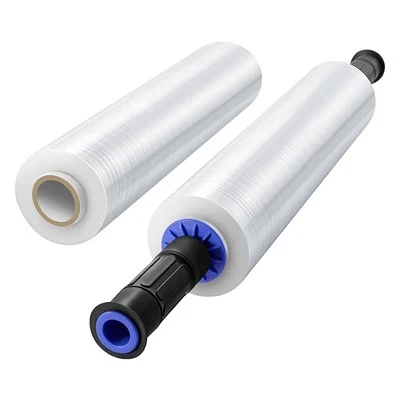
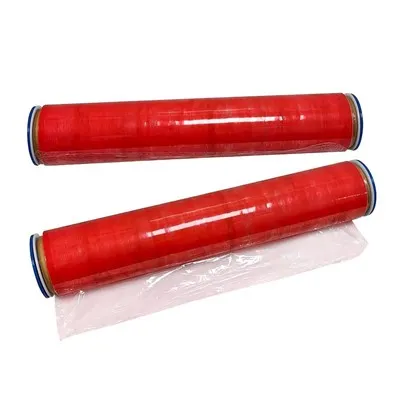
We also have labels that can be used with Heavy Duty Wrapping Film and Heavy Duty Cling Film. These labels are designed to stick well to the film and provide clear information about the product.
Contact Us for Procurement
If you're interested in our paper labels or have any questions about printing paper labels at home, we'd love to hear from you. Whether you're a small business owner looking for custom labels or an individual who needs labels for personal use, we can help. Just reach out to us, and we'll be happy to discuss your requirements and provide you with a quote.
References
- Office supply stores' product guides
- Printer manufacturers' user manuals
- Design software tutorials