Hey there! As a supplier of PCB high - temperature labels, I've seen a lot of issues when it comes to applying these labels. One of the most common problems is the formation of air bubbles. Air bubbles not only make the labels look unprofessional but can also affect their performance over time. So, today I'm gonna share some tips on how to avoid air bubbles when applying PCB high - temperature labels.
Preparation is Key
Before you even start applying the label, proper preparation is crucial. First, make sure the surface of the PCB is clean. Any dust, grease, or debris on the surface can trap air and cause bubbles. You can use a lint - free cloth and a suitable cleaning agent to wipe the PCB surface. Alcohol is a great option as it evaporates quickly and leaves no residue.
Also, check the label itself. Sometimes, the label might have been damaged during storage or shipping. If there are any wrinkles or tears, it's more likely to form air bubbles during application. Inspect the label carefully and discard any that are not in good condition.
Choose the Right Application Method
There are a few different ways to apply PCB high - temperature labels, and each has its own pros and cons when it comes to avoiding air bubbles.
Manual Application
Manual application is the most common method. When applying the label by hand, start from one edge and slowly lay it down on the PCB. Use a flat tool like a credit card or a plastic squeegee to smooth out the label as you go. This helps to push out any air that might be trapped between the label and the PCB surface.
As you're smoothing, work from the center of the label towards the edges. This way, you can direct the air outwards and prevent it from getting trapped. And don't rush! Take your time to ensure that the label is properly adhered and there are no air pockets.
Using Application Tools
There are also some specialized application tools available that can make the process easier and more effective. For example, a label applicator gun can be used to apply the label evenly and with less chance of air bubbles. These guns are designed to dispense the label at a controlled rate and can help to ensure a smooth application.
Another option is to use a roller. A small, soft - rubber roller can be rolled over the label after it's been applied to further smooth out any air bubbles. Just make sure to roll in one direction, from the center to the edges, to avoid pushing air back under the label.
Consider the Environment
The environment in which you apply the label can also have an impact on the formation of air bubbles. Temperature and humidity are two important factors.
High temperatures can make the label adhesive more fluid, which can lead to better adhesion but also increase the risk of air bubbles if not applied carefully. On the other hand, low temperatures can make the adhesive more rigid, making it harder to smooth out the label without creating bubbles.
It's best to apply the labels in a controlled environment with a temperature between 20 - 25 degrees Celsius (68 - 77 degrees Fahrenheit) and a relative humidity of around 40 - 60%. This provides the optimal conditions for the label adhesive to work effectively and reduces the likelihood of air bubbles.
Use the Right Label Material
The material of the label itself can play a role in air bubble formation. Some label materials are more prone to trapping air than others. For PCB high - temperature labels, it's important to choose a material that is flexible and has good conformability.
A label with a smooth surface and a high - quality adhesive is less likely to form air bubbles. Also, consider the thickness of the label. Thicker labels can be more difficult to apply without bubbles, so choose a thickness that is appropriate for your application.
Other Tips and Tricks
Here are a few more tips that can help you avoid air bubbles:
- If you're applying a large label, you can cut it into smaller sections and apply them one by one. This can make it easier to control the application and reduce the risk of air bubbles.
- Before applying the label, you can use a Hand Roll Plastic Wrap to cover the PCB surface. This can create a smooth, temporary surface that helps the label to adhere better and reduces the chance of air bubbles.
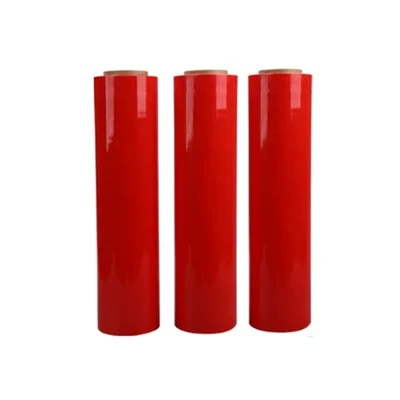
- Another option is to use a Red Cling Film as a backing for the label. The cling film can help to hold the label in place during application and make it easier to smooth out any air bubbles.
- For pallet - sized PCBs, a Pre Stretch Pallet Wrap can be used to secure the label and prevent air from getting trapped.
Conclusion
Avoiding air bubbles when applying PCB high - temperature labels is all about proper preparation, choosing the right application method, considering the environment, and using the right label material. By following these tips, you can ensure a smooth and professional - looking application.


If you're in the market for high - quality PCB high - temperature labels, we're here to help. Our labels are designed to withstand high temperatures and provide excellent adhesion. We offer a wide range of options to meet your specific needs. Whether you're a small electronics manufacturer or a large - scale production facility, we can provide the labels you need.
If you have any questions or want to discuss your label requirements, feel free to reach out. We're always happy to have a chat and help you find the best solution for your application.
References
- "Label Application Best Practices", Industry Labeling Journal, 2022
- "Temperature and Humidity Effects on Adhesive Labels", Adhesive Science Magazine, 2021
- "Choosing the Right Label Material for PCB Applications", Electronics Packaging Review, 2020